
Action Records
An Action Record is the evidence for one governed action. It connects, in one place:
- the Agent and its workspace
- the Connection and the exact tool (capability fingerprint)
- the resource and a summary of the arguments
- the Policy version and matched rule
- the Policy decision: Allow, Require Approval or Block
- any approval request, reviewer, reason and single-use approval
- the execution result and outcome, with duration
- identifiers that tie it all together: record ID, correlation ID and action fingerprint
Every governed action produces one Action Record, including actions that were blocked or are waiting for approval.
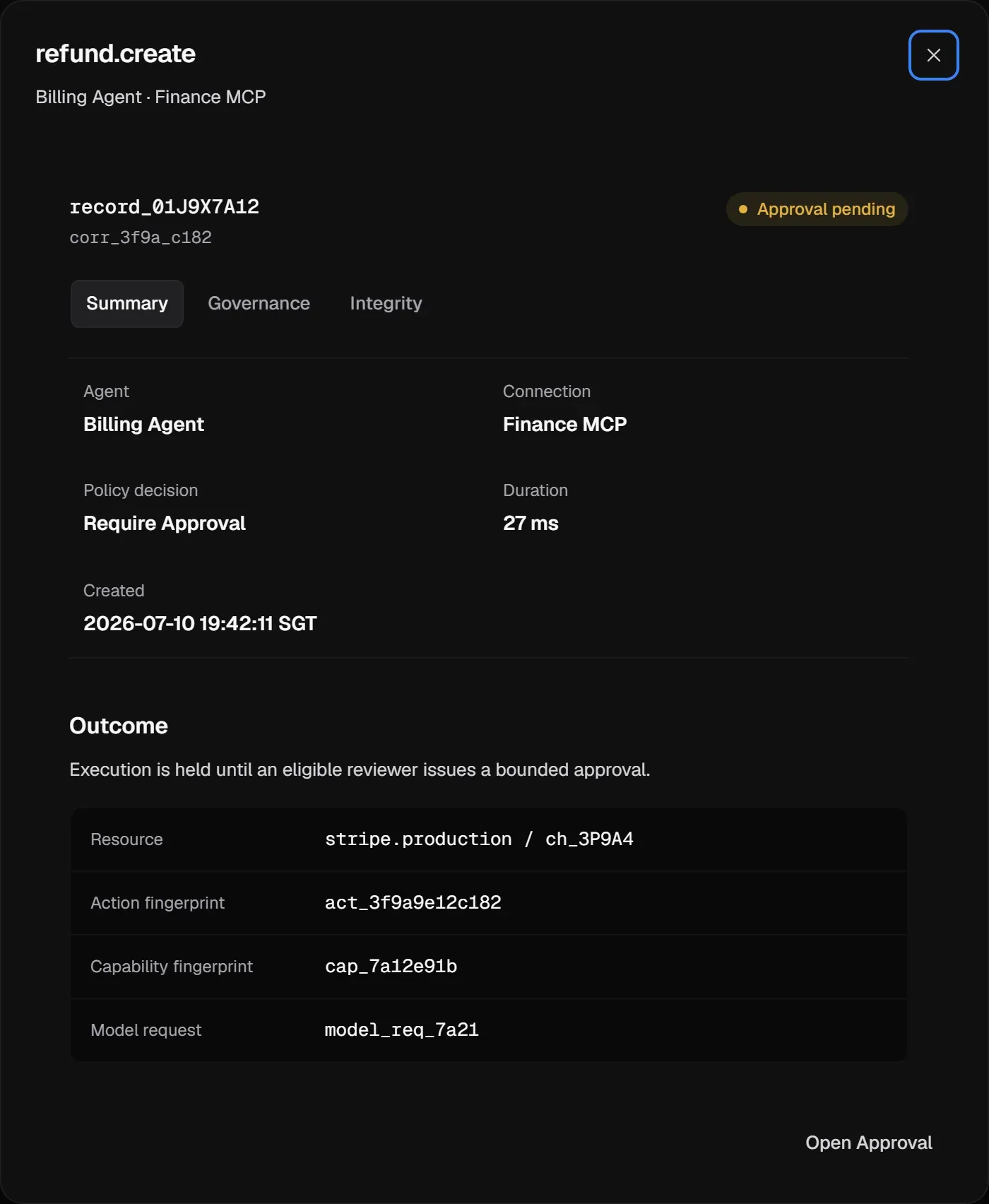
The three tabs
Section titled “The three tabs”| Tab | Shows |
|---|---|
| Summary | Agent, Connection, Policy decision, duration, created time, the outcome, resource and fingerprints. |
| Governance | The Policy version, matched rule, decision and approval request, plus the Record lifecycle: each step from request captured to outcome, with timestamps. |
| Integrity | The record’s link status, its Chain hash, the previous record in the chain, and its retention. |
Outcomes
Section titled “Outcomes”The Outcome says what happened to the action, separately from the policy decision. It follows the decision’s lifecycle:
- Allow: Allowed, awaiting execution, then Execution in progress, then Execution succeeded.
- Require Approval: Approval pending, then Approved, awaiting execution, then Execution in progress, then Execution succeeded.
- Block: Blocked, not executed.
An action that was allowed or approved can also end in Execution failed or Outcome unknown.
If the call may have been dispatched but the response was lost, for example to a timeout, the outcome is Outcome unknown. Aethis never reports it as Execution failed, because the side effect may have happened. Execution failed means it is known that the side effect didn’t happen. All outcome labels are in Statuses.
Integrity
Section titled “Integrity”Action Records are tamper-evident.
- Append-only storage. Records are written once and not edited in place. New facts, such as an approval or an execution result, are added as later lifecycle events.
- HMAC hash-chaining. Each record’s Chain hash is computed with HMAC and chains to the previous record. Changing or removing a record breaks the chain at that point, and the break shows up as a non-Intact integrity status, such as Gap.
To check a set of records, use Verify Chain in Activity. It checks record consistency for the current workspace and filters, or for a selected record, without changing anything.
For a repeatable review procedure, see Verify a governance boundary.
Each record’s integrity status is Intact, Delayed, Degraded, Gap or Unverified. These describe the record’s consistency and integrity state. See Statuses.
Retention
Section titled “Retention”Action Records are kept for your plan’s retention period (Developer 30 days, Pro 90 days, Scale 365 days or custom) and removed after it. Deleting an Agent or a Connection doesn’t delete its historical records. See Security and data.
Where to find them
Section titled “Where to find them”Open Activity and switch to Action Records, or follow Open Action Record from an approval request, an evaluated tool, or an Alert. See Investigate in Activity.