
Respond to Alerts
Alerts are operational problems that need an owner: a tool definition changed, a policy conflict is blocking rollout, workspace spend is near its enforced cap, or an approval is about to expire.
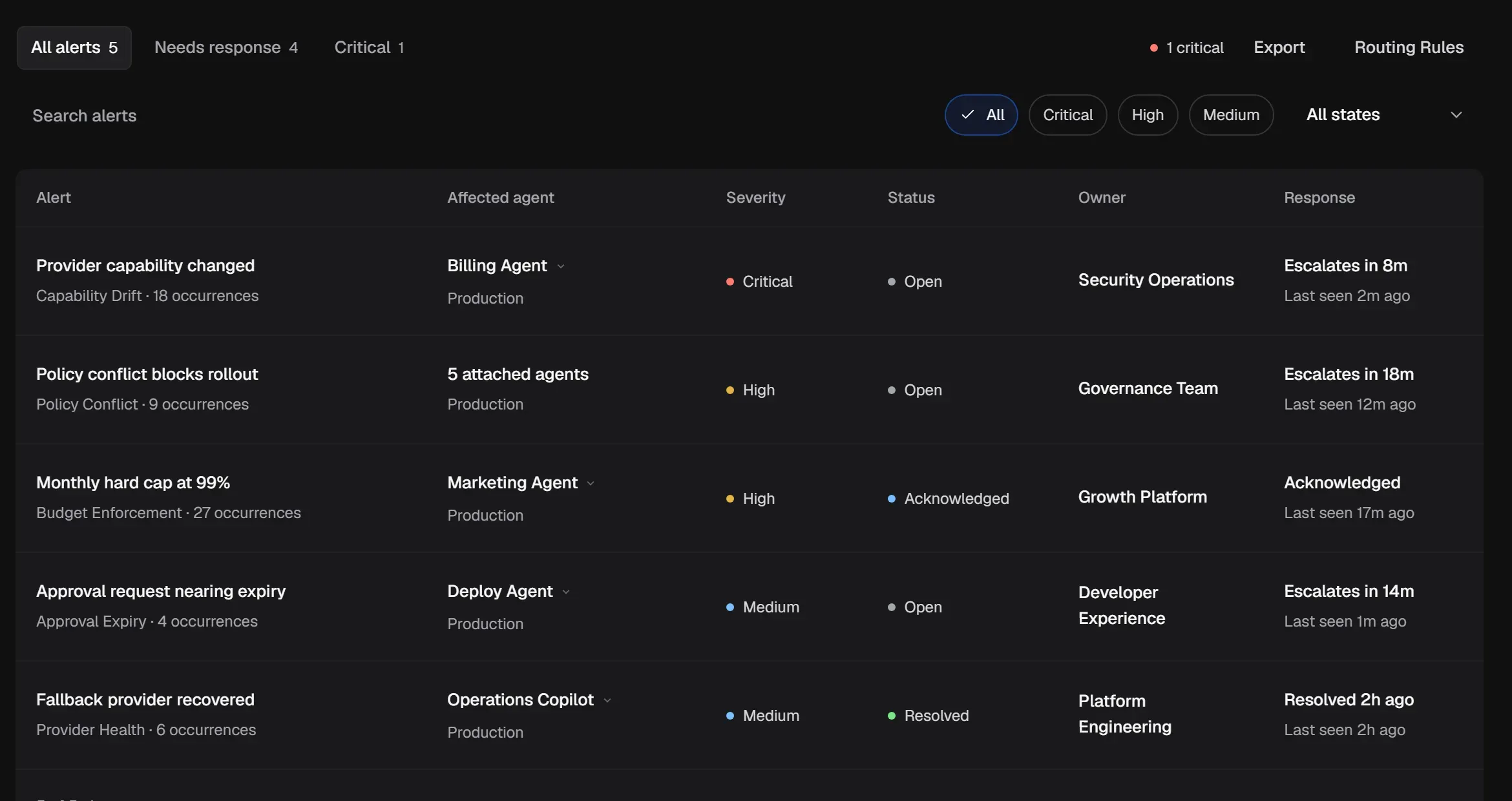
Find what needs attention
Section titled “Find what needs attention”- The tabs show All alerts, Needs response and Critical.
- Filter by severity (Critical, High, Medium) and by state (Open, Acknowledged, Investigating, Resolved).
- The Response column shows when an alert escalates if nobody responds.
The sidebar badge counts alerts that aren’t resolved.
Work an alert
Section titled “Work an alert”-
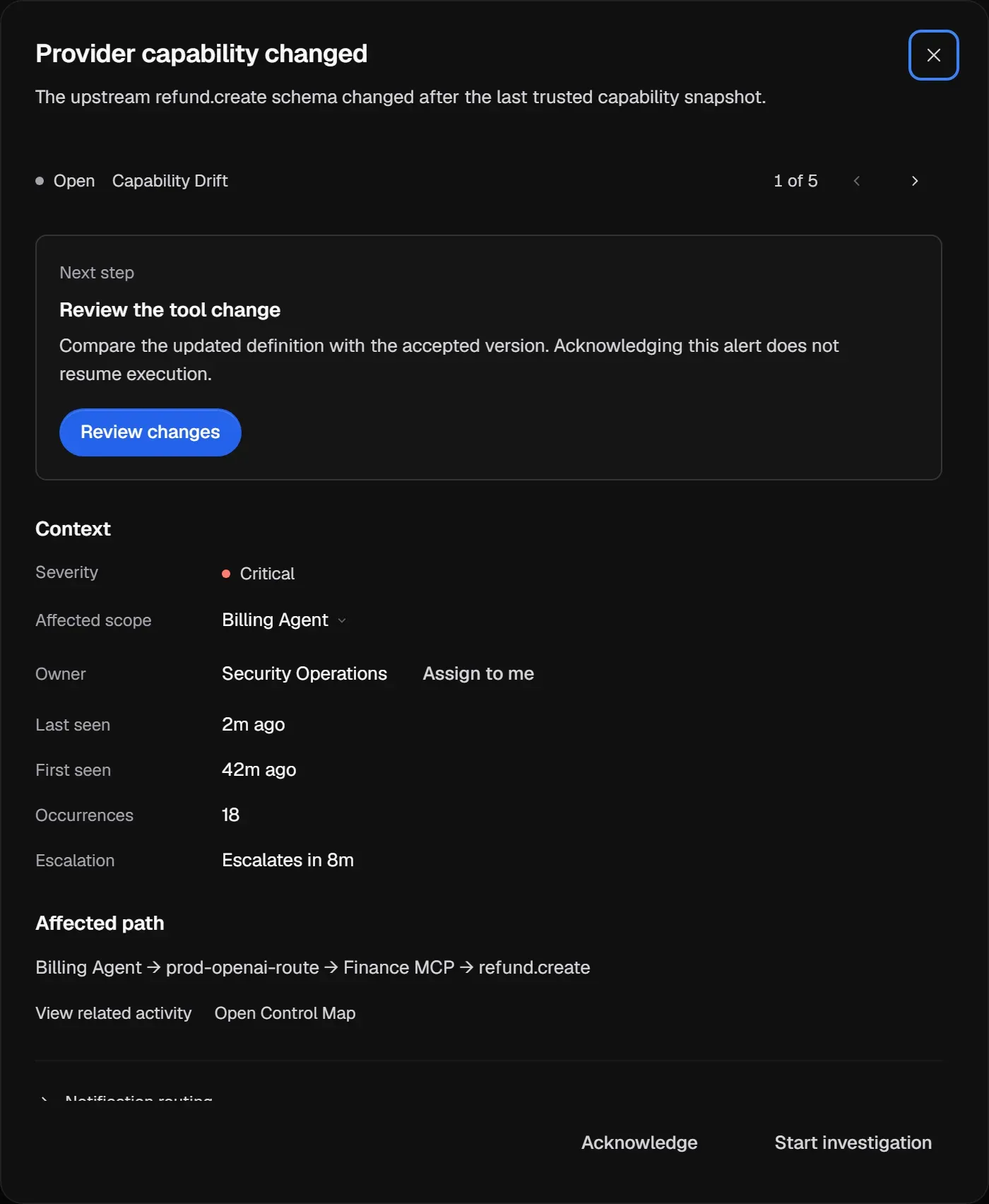
Select the alert. The drawer starts with the Next step, for example Review the tool change, with a button that takes you there.
-
Check the Context: severity, Affected scope, Owner, when it was first and last seen, occurrences and escalation.
-
If it’s yours, select Assign to me.
-
Select Acknowledge to show that someone has it, or Start investigation while you work on the cause.
-
Follow the Affected path (for example Agent, route, Connection, tool). View related activity opens Activity, and Open Control Map shows the path on the map.
-
Fix the cause, then resolve the alert.
A resolved alert can be reopened if the problem comes back.
Expected result: the alert has an owner, its state reflects the work in progress, the underlying control is restored, and the final resolution can be traced through related Activity or configuration. If the fix depends on another team, keep the alert Investigating and record the owner rather than resolving it early.
Alert types
Section titled “Alert types”| Type | Usually means | Where to act |
|---|---|---|
| Capability Drift | A tool definition changed after it was accepted. The Connection is paused. | Review tool changes |
| Policy Conflict | A Policy references something that no longer resolves. | Fix a conflict |
| Budget Enforcement | Workspace spend is at or near the enforced Monthly spend cap. Agent usage helps identify contributors. | Manage spend and usage |
| Approval Expiry | An approval request is close to its deadline. | Review the Approval Queue |
| Provider Health | An upstream provider or server is degraded or recovered. | The Connection’s Check connection |
| Evidence Integrity | An Action Record’s integrity check needs attention. | Check integrity |
Alert states are listed in Statuses.